Flow Trigger
The Flow Trigger object is used to start another flow or project dynamically within a process, without the need for custom code.
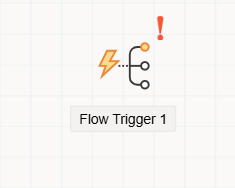
Flow Trigger
The Flow Trigger object allows the initiation of one or more other flows or projects during the execution of a current workflow. This enables modular and dynamic flow designs without requiring any code.
It is especially useful when:
- A step in a process needs to trigger a flow from
another project - A different
flow within the same projectshould be launched Multiple flowsshould be triggered based on tabular data (e.g., a DataGrid)
Key Features
No code requiredto trigger other flows or processes- Can trigger:
- A
single flowusing direct parameters Multiple flowsvia a DataGrid with mapped data
- A
- Ideal for branching, delegation, or modular automation scenarios
- Fully configurable through the Properties panel
How It Works
Triggering a Single Flow
To trigger a single flow:
- Set the necessary
Parameterson the object. - When the current flow reaches this object, the target flow will start with the provided values.
Triggering Multiple Flows
To trigger multiple flows at once:
- Bind the
Flow Triggerobject to aDataGridon the form. - Each row in the DataGrid will be used as a source of parameters to launch a separate instance of the target flow.
- This allows bulk operation scenarios (e.g., sending multiple approvals, initiating tasks per item).
Designer Integration
When the Flow Trigger object is added to the flow canvas and clicked, the Property Viewer panel displays its configurable attributes.
From this panel, the user can:
- Choose the
target project and flowto be triggered - Configure
parameter mappings(direct or via DataGrid) - Set any
execution behavior(e.g., continue on error)